
Instagram never stays still — and 2026 has been one of the most feature-packed years in the platform’s history. From AI-powered creation tools to entirely new ways of messaging, Instagram has rolled out dozens of updates designed to give creators more power and users more control.
But with so many features arriving in such a short time, most users are completely unaware of what their app can now do. In this guide, we have compiled the complete, up-to-date list of every major Instagram feature released in 2026 — what it does, who can use it, and how to access it.
Let’s dive in.
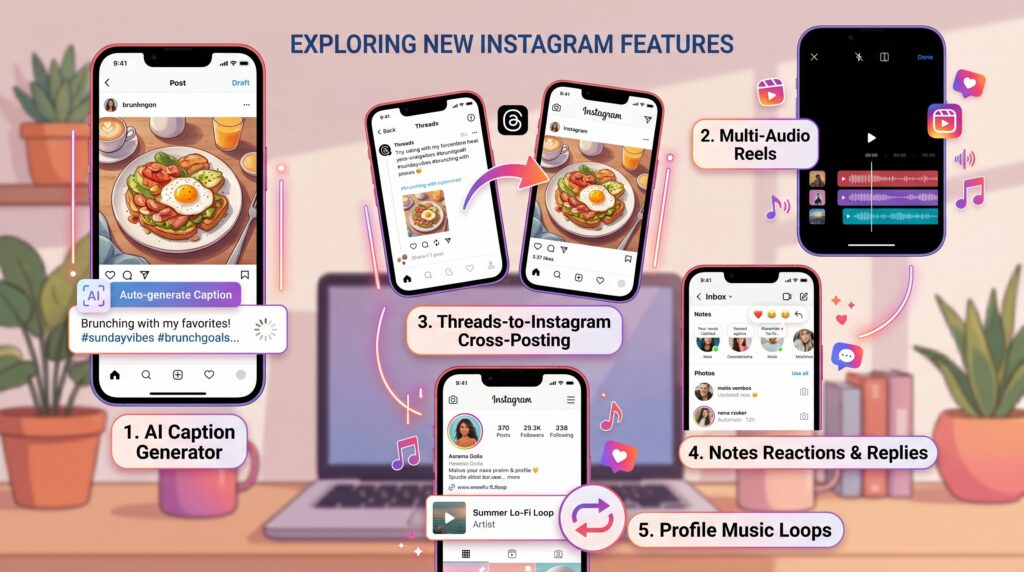
1. AI Caption Generator
Instagram’s built-in AI Caption Generator is now available for all users worldwide. When creating a post or Reel, tap the new “Suggest Caption” icon, and Instagram will generate three caption variations based on your image, video, and tone preference (witty, professional, casual, motivational, etc.).
Where to find it: Post creation screen → Caption box → Sparkle icon.
Why it matters: It saves time and helps users who struggle with caption writing. The AI also suggests relevant emojis and hashtags.
2. Multi-Audio Reels
Reels can now use up to three audio layers in a single video — original sound, a music track, and a voiceover — without needing third-party editing apps. Instagram’s built-in editor mixes them automatically with volume balancing.
Where to find it: Reels editor → Audio → Add Layer.
Why it matters: Creators can produce professional, multi-layered audio Reels directly inside Instagram.
3. Threads-to-Instagram Cross-Posting
Now that Threads has matured, Instagram allows seamless cross-posting between the two platforms. You can publish a Thread and have it automatically appear as a text-style post on your Instagram feed.
Where to find it: Threads app → Compose → “Also Post to Instagram” toggle.
Why it matters: Reaches both audiences with one click, especially useful for creators building presence across both platforms.
4. Notes Reactions and Replies
Instagram Notes — the short text bubbles at the top of your DMs — got a major upgrade. Friends can now react with emojis directly to your Notes, and you can reply to their reactions privately.
Where to find it: DM inbox → Notes section.
Why it matters: Notes have become a mini social feature within Instagram, perfect for casual updates without committing to a full post.
5. Profile Music Loops
You can now add a 30-second song clip that plays automatically when someone visits your profile. This applies to both personal and creator accounts.
Where to find it: Edit Profile → Add Music to Profile.
Why it matters: Adds personality and helps creators set a vibe for visitors. Especially popular with musicians and influencers.
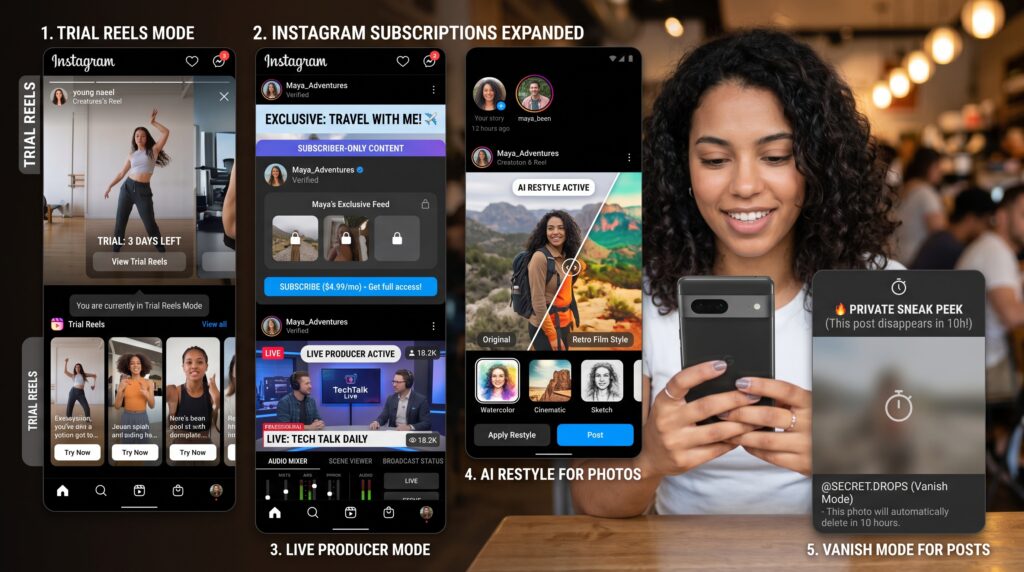
6. Trial Reels Mode
Trial Reels lets you publish a Reel that is shown only to non-followers, so you can test how your content performs with a fresh audience before deciding whether to share it with your followers. If it performs well, you can release it to your full audience.
Where to find it: Reels publish screen → “Trial Reel” toggle.
Why it matters: Reduces risk for creators and helps test new content angles without affecting follower experience.
7. Instagram Subscriptions Expanded
Instagram has expanded its Subscriptions feature to creators in over 90 countries. Subscribers get exclusive Stories, Reels, lives, badges, and a private chat group.
Where to find it: Profile → Professional Dashboard → Subscriptions.
Why it matters: Creates a direct income source for creators independent of brand deals.
8. Live Producer Mode
Live streams now support multi-camera switching, real-time captions, audience polls, and even monetization through tipping. Live Producer Mode is currently available to creator accounts with over 5,000 followers.
Where to find it: Live setup screen → Producer Mode.
Why it matters: Brings broadcast-quality features to mobile-first creators.
9. AI Restyle for Photos
The AI Restyle tool can transform any photo into different artistic styles — anime, oil painting, sketch, watercolor — directly inside Instagram’s editor. No external apps needed.
Where to find it: Edit Photo → Effects → AI Restyle.
Why it matters: Encourages creative experimentation and produces unique visuals quickly.
10. Vanish Mode for Posts
Borrowing from Stories, you can now publish posts that vanish after 24 or 48 hours. They appear in your feed normally during that period and disappear automatically.
Where to find it: Post creation → Advanced Settings → “Set Auto-Delete.”
Why it matters: Useful for time-sensitive content like sales, events, or casual updates you don’t want permanently archived.
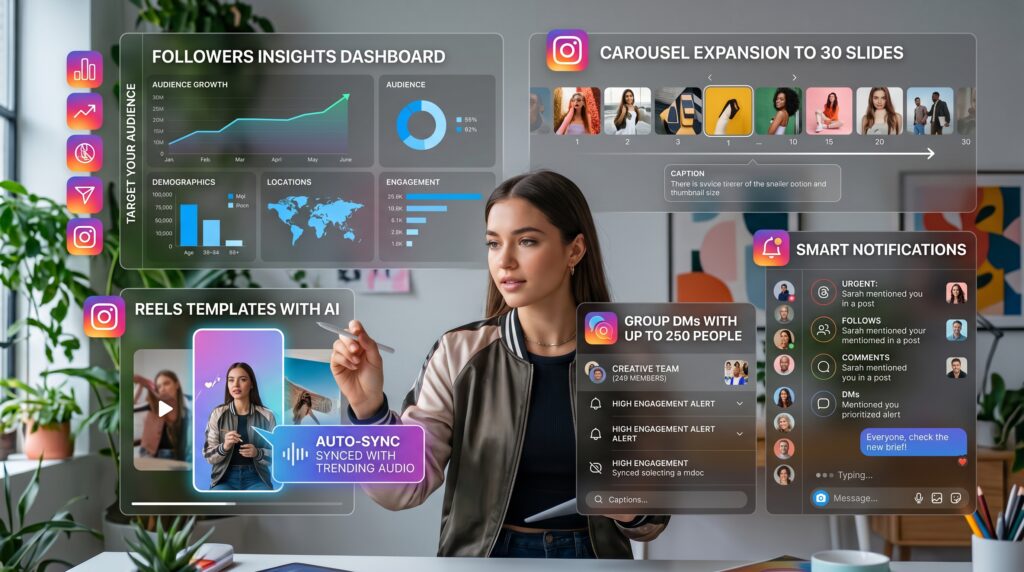
11. Followers Insights Dashboard
A redesigned Insights dashboard now shows when your followers are most active by hour, by day, by country, and by content type. It also shows which followers have unfollowed you in the past 30 days.
Where to find it: Profile → Insights → Followers.
Why it matters: Helps creators schedule posts strategically and identify content trends.
12. Group DMs With Up to 250 People
Group DMs now support up to 250 members, with admin controls, channel-style announcements, and pinned messages.
Where to find it: New Message → New Group → Add Members.
Why it matters: Communities can now operate inside Instagram without needing Discord, Telegram, or WhatsApp.
13. Smart Notifications
Instagram now uses AI to summarize your missed activity. Instead of a flood of individual notifications, you get a single intelligent summary: “5 friends posted Reels today, 2 of which mention you.”
Where to find it: Notifications tab.
Why it matters: Reduces notification fatigue and saves time.
14. Carousel Expansion to 30 Slides
Carousels can now contain up to 30 slides (previously 20). Long-form storytelling, photo dumps, and educational content now have more room to breathe.
Where to find it: Post creation → Add multiple media.
Why it matters: Carousels are now one of the highest-reach formats — more slides means more watch time.
15. Reels Templates with AI
Instagram now offers AI-curated Reel templates based on what’s trending in your niche. Tap one, drop in your clips, and the AI auto-edits transitions, captions, and music sync.
Where to find it: Reels camera → Templates → AI Suggestions.
Why it matters: Lowers the barrier for new creators and saves time for experienced ones.
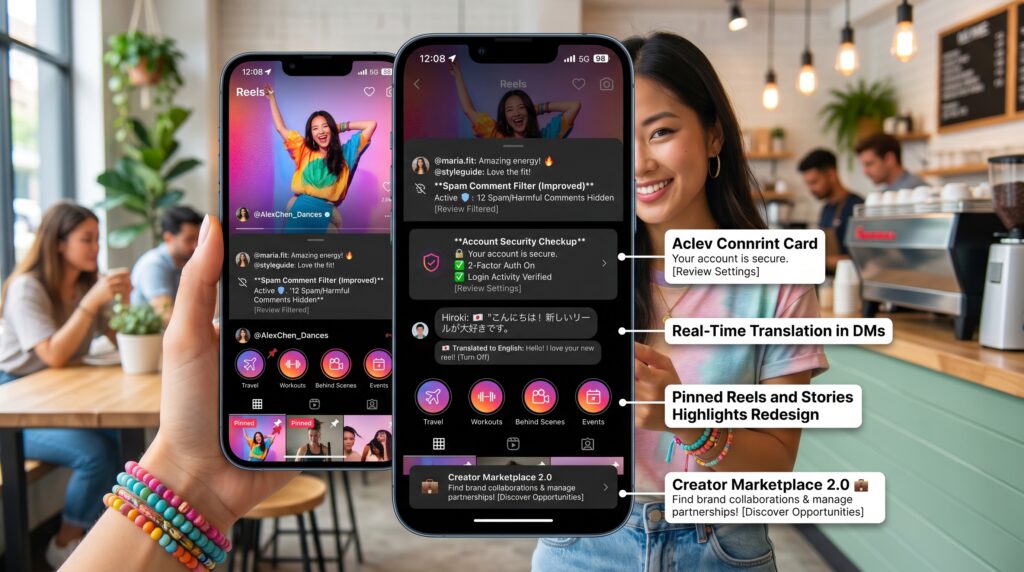
16. Spam Comment Filter (Improved)
The new spam filter automatically hides comments containing repetitive phrases, hidden links, or coordinated bot activity. Hidden comments are stored in a separate folder for review.
Where to find it: Settings → Privacy → Hidden Words.
Why it matters: Cleaner comment sections, less moderation work for creators.
17. Account Security Checkup
Instagram now offers a guided Security Checkup that walks users through password strength, two-factor authentication, login activity, and connected apps in under two minutes.
Where to find it: Settings → Security → Security Checkup.
Why it matters: Protects accounts from hacks and unauthorized access.
18. Real-Time Translation in DMs
Direct messages now feature real-time translation between 70+ languages. The translation appears below the original message instantly.
Where to find it: Any DM thread → Tap message → Translate.
Why it matters: Makes Instagram truly global for creators with international audiences.
19. Pinned Reels and Stories Highlights Redesign
Both Pinned Reels and Highlights got a visual upgrade with custom cover designs, color themes, and category tags.
Where to find it: Profile → Edit Highlights / Reels.
Why it matters: Better profile aesthetics and easier organization.
20. Creator Marketplace 2.0
Brands and creators can now connect through the upgraded Creator Marketplace. Creators can list their rates, niches, and past work, while brands can search and book directly inside Instagram.
Where to find it: Professional Dashboard → Marketplace.
Why it matters: Direct monetization without third-party agencies.
How to Make Sure You Have All These Features
Some features roll out gradually based on region, account type, and app version. To make sure your Instagram has the latest:
- Update your app to the latest version on the App Store or Google Play.
- Check Settings → About → Version.
- Switch to a Creator or Business account to unlock pro tools.
- Restart the app after updating to refresh feature flags.
If a feature still isn’t visible, it may not have rolled out to your region yet — check back in a few weeks.
FAQs
Q: Are these features free?
A: Almost all of these features are free. Subscriptions and tipping involve money but are optional.
Q: Can I disable AI features if I don’t want them?
A: Yes. Most AI features are opt-in or can be turned off in Settings → Account → AI Tools.
Q: Do these features work on web Instagram?
A: Some do, like translation and DMs, but most are mobile-first.
Q: Will more features arrive in 2026?
A: Yes. Instagram releases new updates almost every month. Bookmark this page for updates.
Conclusion
Instagram in 2026 has become more powerful, more creative, and more user-friendly than ever before. Whether you are a casual user, a content creator, or a small business owner, exploring these new features can transform how you experience the platform.
Try one new feature each day this week — you might just find your new favorite Instagram tool.
For more updates and step-by-step tutorials, keep visiting Frenzlab — your trusted Instagram guide.